
Monitor Mixing Built Around People, Not Channels
Give every musician simple control of their personal monitor mix without teaching buses, channels, routing, or complicated mixer software.
When microphones, monitor packs, and the people holding them change from one set to the next, their mix follows them automatically.
- Works with any X32 or M32 console
- No musician app installation required
- Musicians use their existing devices — phone, tablet, laptop
Who uses Audio Passport
Anywhere the People on Stage Keep Changing
Rotating volunteers, a new cast every term, a different venue every night — the console does not care who is standing in front of it. Audio Passport does.
Volunteer teams where different people serve each week and the microphones and packs never land in the same hands twice.
A new cast, ensemble or intake every block. Performers get their own monitor mix without anyone having to learn the console first.
Your mix travels with you. Walk into a different room, load the same names, and everybody hears what they heard last night.
Two screens, that's it
Nothing to Learn Before Soundcheck
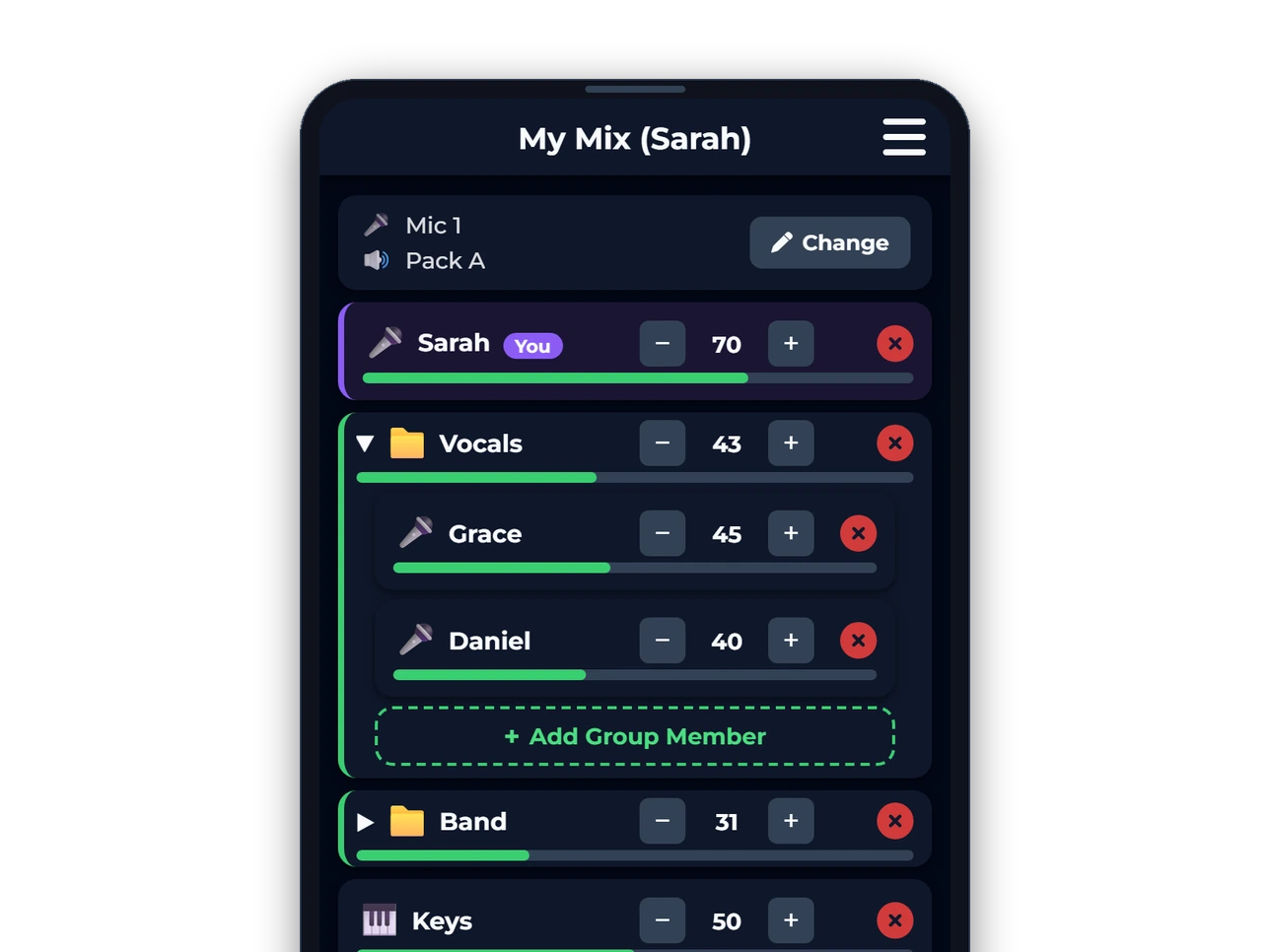
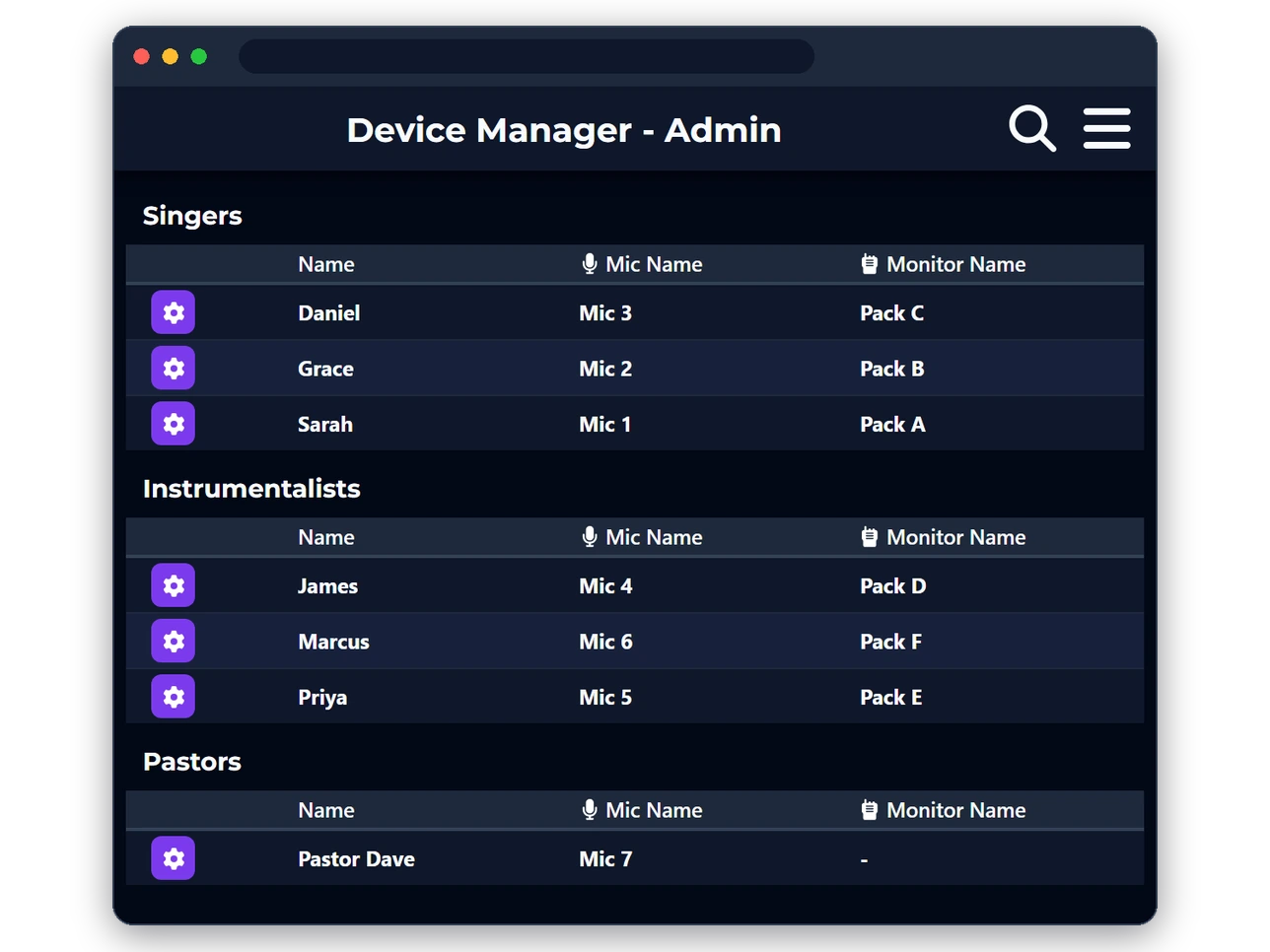
There is no console to understand and no app to install. A musician opens a link and sees their own mix; the sound team sees the room.
- Musician
- One page with their name on it: the mic they are holding, the pack they are wearing, and a slider each for the things they need to hear.
- Sound team
- The whole roster at a glance, grouped the way the team actually thinks — who is here, what they are holding, and nothing to rebuild.
The weekly reset
Tired of Rebuilding the Same Monitor Mixes?
Line-ups change constantly. Different people play, microphones move around, monitor packs get reassigned, and rehearsal time gets lost solving the same problems every week.
Different people play from week to week.
Microphones and monitor packs regularly change hands.
Sound teams spend time fixing monitor issues instead of getting ready for the service, show or set.
Your sound goes with you
Mixes Follow the Person
A musician's monitor mix belongs to them — not to a microphone, channel, bus, or monitor pack.
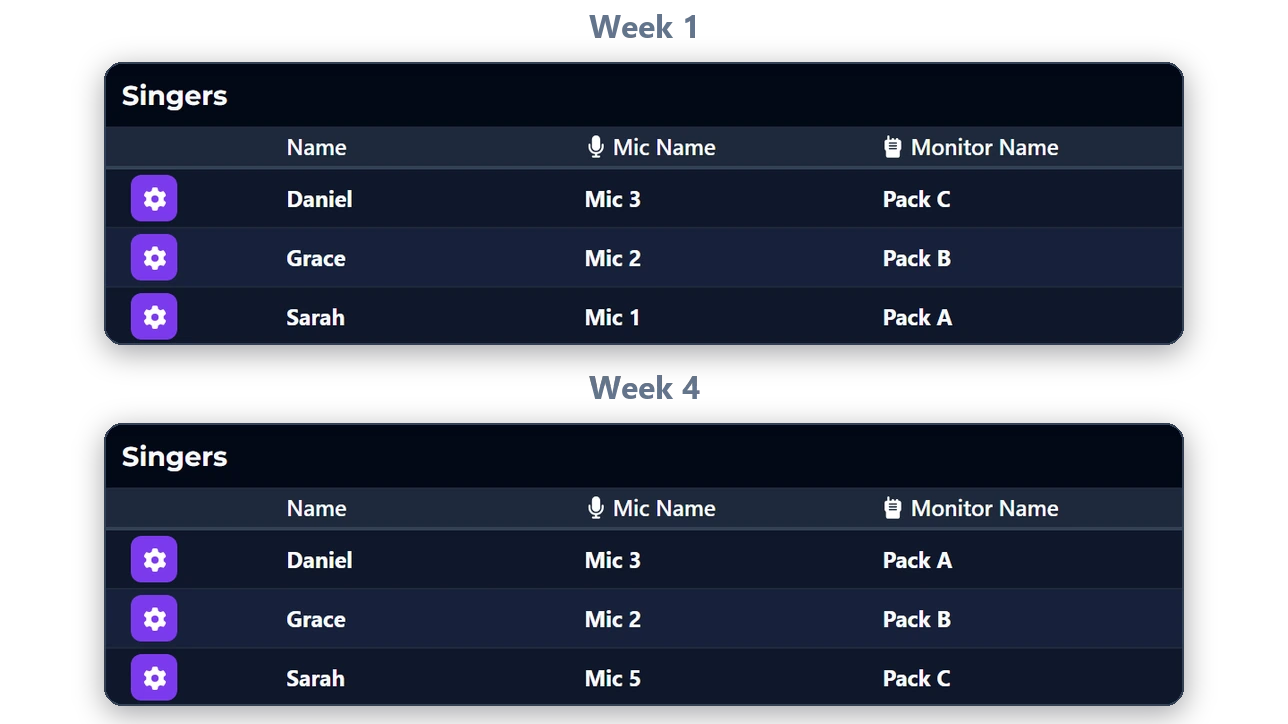
If a vocalist uses a different microphone next week, their preferred mix still comes with them.
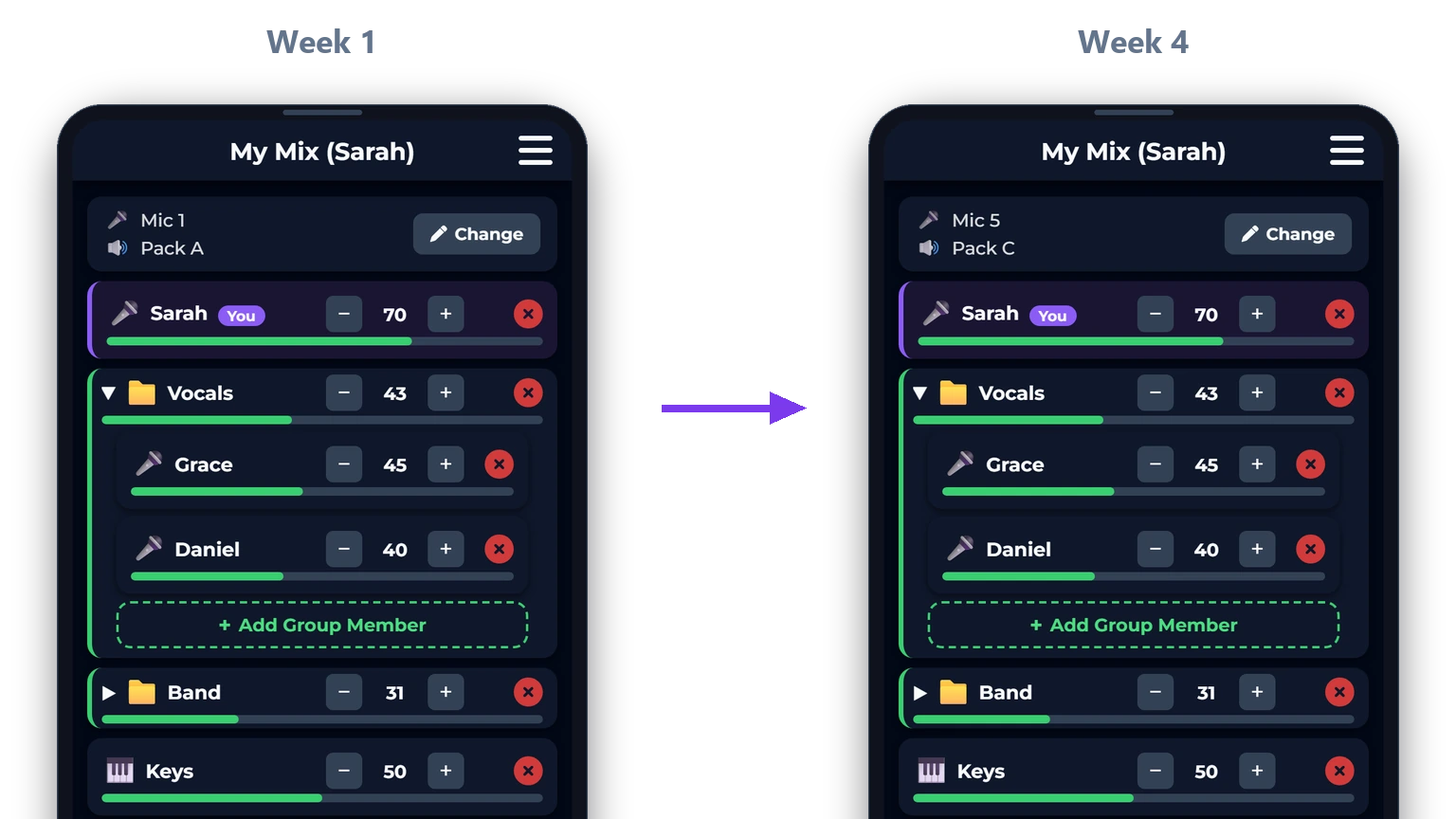
- Sarah
- Mic 2
- Monitor Pack A
- Sarah
- Mic 5
- Monitor Pack C
Who it helps
Simple for Musicians. Easier for Sound Teams.
For Musicians
- Open a webpage — works on any Apple, Android, or Windows device
- Choose your name
- Adjust your mix
- Done
For Sound Teams
- Faster setup
- Fewer support questions
- Easier onboarding
- More consistent monitor mixes
For Leaders & Directors
- Less rehearsal disruption
- Fewer technical barriers
- Easier for new people to join
- More time focused on the music
The difference
Why Teams Choose Audio Passport
- Built around channels and buses
- Require more training
- Mixes are tied to hardware
- Interfaces can feel technical
- Easy to expose too many controls
- Require private venue Wi-Fi access
- Musicians accidentally change other people's mixes
- EQ and compression settings need to be recalled from the console
- Only one theme
- Built around people and names
- Easier for volunteers
- Mixes follow the musician
- Focused musician experience
- Access limited to each person's own mix
- No private Wi-Fi access required
- Musicians can only adjust their own mix
- EQ and compression settings follow the musician
- Light mode, dark mode, and high contrast themes
Pricing
One Price Per Team
The same plans whatever room you are in — with 80% off for churches.
Churches take 80% off every paid plan.
Each card shows the regular price, with the church price below it. Best Deal for Churches: the Team plan comes to $10/month when you pay yearly.
No card required
For a no-risk no-time limit trial.
- Up to 3 musicians
- Full Support
$50/month, billed yearly · save 29% vs monthly
For most teams.
Church price · 80% off
$120/yr— $10/month
- Up to 10 musicians
- Full Support
$100/month, billed yearly · save 26% vs monthly
For larger teams.
Church price · 80% off
$240/yr— $20/month
- Unlimited musicians
- Full Support
Get the Server for Your Venue
One Windows PC runs the server. Musicians install nothing — they open a link on the phone already in their pocket.
Version 0.9.0 · 40.7 MB · Windows 10 & 11 · free account required